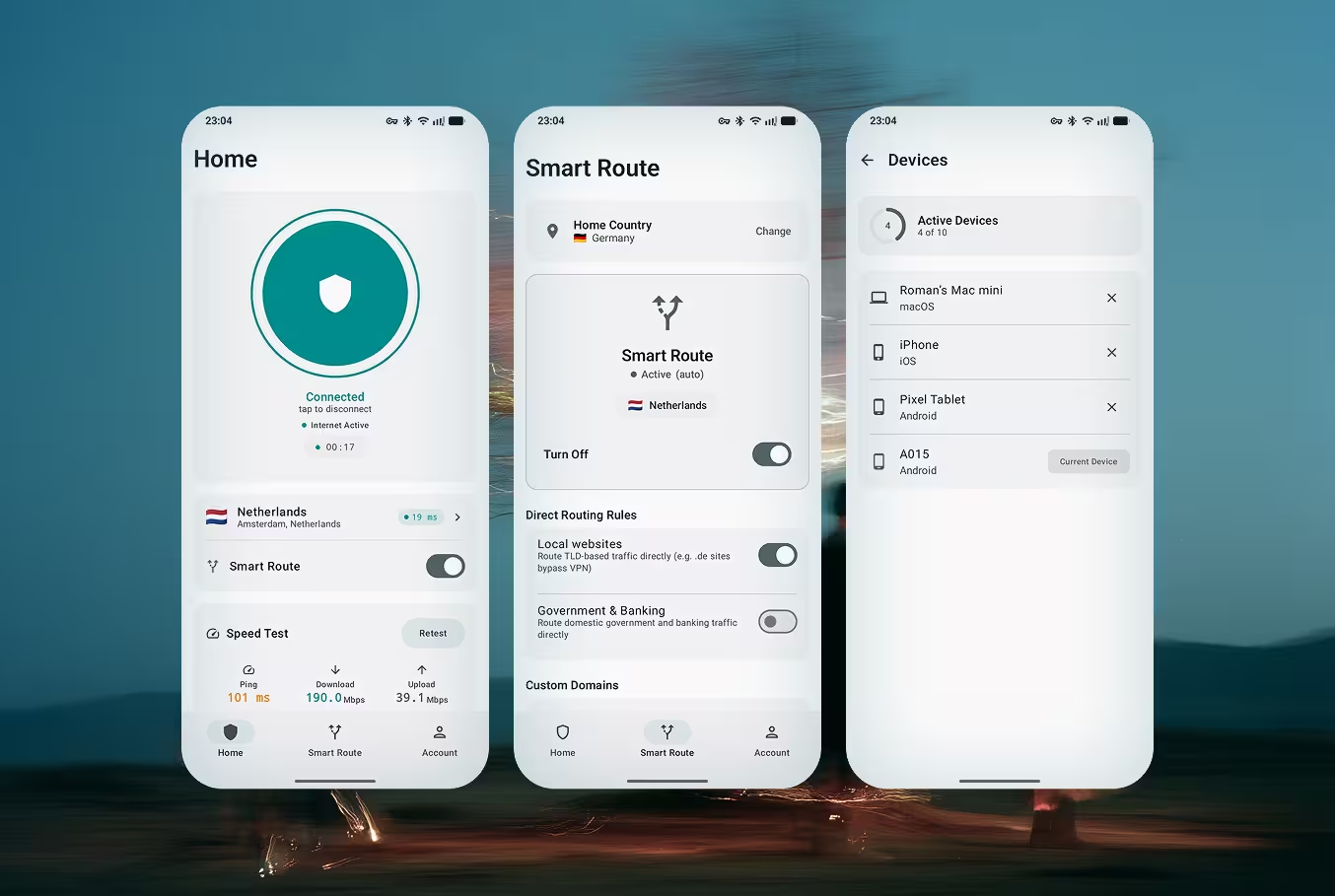
Doppler VPN running on Android — secure VPN connection screen

Doppler VPN для Android

Бесплатный VPN без регистрации. Без аккаунта, без электронной почты, без персональных данных. Доступен в Google Play и в виде APK для регионов, где Play Store ограничен.

Get it on Google Play

Почему Doppler для Android?

Создан специально для пользователей Android, которым нужна приватность без компромиссов. Без регистрации, без сбора данных, без ограничений.

VLESS-Reality Encryption

Next-generation protocol that disguises VPN traffic as regular HTTPS browsing. Your connection is invisible to firewalls, deep packet inspection systems, and ISP monitoring. The same technology used to bypass the Great Firewall of China.

Без регистрации

Откройте приложение и подключитесь мгновенно. Без электронной почты, без номера телефона, без создания аккаунта. Ваша личность остаётся приватной с самого первого касания.

One-Tap Connect

Press one button and Doppler automatically selects the fastest server, establishes an encrypted tunnel, and protects all your traffic. Smart server selection optimizes for speed and reliability.

Bypass Censorship & DPI

Designed to work in countries with strict internet censorship — Russia, Iran, China, and beyond. VLESS-Reality makes your VPN traffic indistinguishable from normal web browsing, defeating TSPU and GFW.

Strict No-Logs Policy

Doppler never collects, stores, or shares your browsing data. No connection logs, no traffic logs, no DNS query logs. We cannot identify you because we never collect identifying information.

6 Global Server Locations

Connect to servers in multiple countries across Europe and beyond. Each server runs VLESS-Reality with optimized routing for the lowest latency and highest throughput.

3-Day Free Trial

Try Doppler VPN with full access to all features for 3 days. After the trial, choose monthly, 6-month, or annual plans starting from $3.33/month. Manage your subscription through Google Play.

Battery-Efficient Background Service

Doppler uses Android's native Always-On VPN framework with minimal battery impact. Less than 2% additional drain even with 24/7 protection enabled. Optimized for Samsung, Xiaomi, OnePlus, Pixel, and all major Android brands.

Как это работает на Android

От скачивания до безопасного сёрфинга менее чем за 30 секунд. Без аккаунта, без почты, без мастера настройки.

1

Скачайте приложение

Установите Doppler VPN из Google Play или скачайте APK напрямую. Приложение легковесное — менее 15 МБ.

2

Откройте приложение

Запустите Doppler VPN. Никакого экрана регистрации, никакой формы входа. Приложение готово к использованию сразу.

3

Нажмите «Подключиться»

Нажмите кнопку подключения. Doppler автоматически выберет самый быстрый доступный сервер и установит туннель VLESS-Reality.

4

Сёрфите свободно

Ваше соединение теперь зашифровано и необнаружимо. Получите доступ к любому сайту, приложению или сервису без ограничений.

Frequently Asked Questions — Doppler VPN for Android

Does Doppler VPN work on Samsung devices?

Yes. Doppler VPN is fully compatible with all Samsung Galaxy phones and tablets running Android 8.0 (Oreo) or later. This includes the Galaxy S series, Galaxy A series, Galaxy Z Fold, Galaxy Z Flip, and Galaxy Tab. Doppler integrates with Samsung's Always-On VPN settings for 24/7 protection.

Does Doppler VPN drain battery?

No. Doppler VPN uses less than 2% additional battery even with Always-On VPN enabled. The VLESS-Reality protocol is designed for efficiency with minimal CPU overhead. For the best experience, exclude Doppler from Android's battery optimization in Settings > Apps > Doppler VPN > Battery > Unrestricted.

How do I set up VPN on Android?

Setting up Doppler VPN on Android takes under 30 seconds: 1) Download from Google Play, 2) Open the app (no registration needed), 3) Tap Connect. Doppler handles all the technical setup automatically — it configures the VPN profile, selects the best server, and establishes an encrypted tunnel.

Does it work in Russia, China, and Iran?

Yes. Doppler uses the VLESS-Reality protocol, which disguises VPN traffic as regular HTTPS web browsing. This makes it extremely difficult for censorship systems like Russia's TSPU, China's Great Firewall, or Iran's filtering infrastructure to detect and block. Doppler is specifically designed for users in heavily censored regions.

How do I cancel my subscription?

To cancel your Doppler VPN subscription on Android: Open Google Play > tap your profile icon > Payments & subscriptions > Subscriptions > Doppler VPN > Cancel subscription. Your access continues until the end of the current billing period.

Can I use Doppler VPN on Android TV?

Yes. You can install Doppler VPN on Android TV devices and TV boxes to protect your streaming traffic. Access geo-restricted content on the big screen with the same VLESS-Reality encryption used on mobile.

Скачайте Doppler VPN для Android

Бесплатный, приватный и необнаружимый. Без регистрации, без аккаунта, без сбора данных. Скачайте из Google Play или получите APK для ограниченных регионов.

Available on other platforms

View all downloads

Защитите свой интернет. Doppler VPN не требует регистрации и не ведёт логов. Попробуйте бесплатно 3 дня.