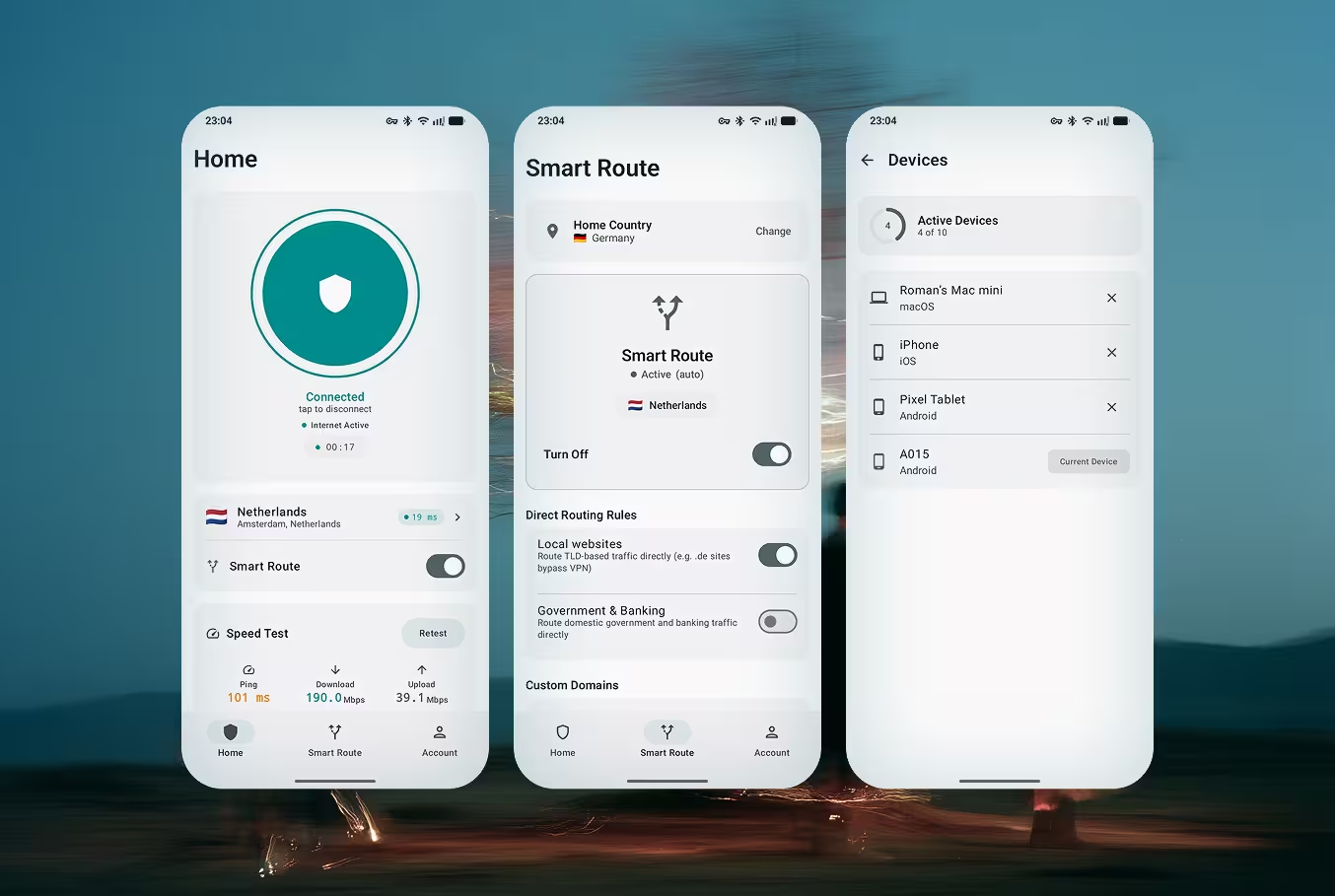
Doppler VPN running on Android — secure VPN connection screen

Doppler VPN kwa Android

VPN bure bila usajili. Bila akaunti, bila barua pepe, bila data binafsi. Inapatikana kwenye Google Play na kama APK kwa mikoa ambapo Play Store imezuiliwa.

Get it on Google Play

Kwa Nini Doppler kwa Android?

Imejengwa mahususi kwa watumiaji wa Android wanaohitaji faragha bila maelewano. Bila usajili, bila ukusanyaji wa data, bila vikwazo.

VLESS-Reality Encryption

Next-generation protocol that disguises VPN traffic as regular HTTPS browsing. Your connection is invisible to firewalls, deep packet inspection systems, and ISP monitoring. The same technology used to bypass the Great Firewall of China.

Bila Usajili

Fungua programu na uunganishe mara moja. Bila barua pepe, bila nambari ya simu, bila kuunda akaunti. Utambulisho wako unabaki wa siri tangu kugonga kwanza.

One-Tap Connect

Press one button and Doppler automatically selects the fastest server, establishes an encrypted tunnel, and protects all your traffic. Smart server selection optimizes for speed and reliability.

Bypass Censorship & DPI

Designed to work in countries with strict internet censorship — Russia, Iran, China, and beyond. VLESS-Reality makes your VPN traffic indistinguishable from normal web browsing, defeating TSPU and GFW.

Strict No-Logs Policy

Doppler never collects, stores, or shares your browsing data. No connection logs, no traffic logs, no DNS query logs. We cannot identify you because we never collect identifying information.

6 Global Server Locations

Connect to servers in multiple countries across Europe and beyond. Each server runs VLESS-Reality with optimized routing for the lowest latency and highest throughput.

3-Day Free Trial

Try Doppler VPN with full access to all features for 3 days. After the trial, choose monthly, 6-month, or annual plans starting from $3.33/month. Manage your subscription through Google Play.

Battery-Efficient Background Service

Doppler uses Android's native Always-On VPN framework with minimal battery impact. Less than 2% additional drain even with 24/7 protection enabled. Optimized for Samsung, Xiaomi, OnePlus, Pixel, and all major Android brands.

Jinsi Inavyofanya Kazi kwenye Android

Kutoka kupakua hadi kuvinjari salama kwa chini ya sekunde 30. Bila akaunti, bila barua pepe, bila mchawi wa usanidi.

1

Pakua Programu

Sakinisha Doppler VPN kutoka Google Play au pakua APK moja kwa moja. Programu ni nyepesi — chini ya 15 MB.

2

Fungua Programu

Zindua Doppler VPN. Bila skrini ya usajili, bila fomu ya kujiandikisha. Programu iko tayari kutumika mara moja.

3

Gonga Unganisha

Bonyeza kitufe cha kuunganisha. Doppler inachagua kiotomatiki seva ya haraka zaidi inayopatikana na kuanzisha handaki ya VLESS-Reality.

4

Vinjari kwa Uhuru

Muunganiko wako sasa umesimbwa kwa njia fiche na hauwezi kugundulika. Fikia tovuti yoyote, programu, au huduma bila vikwazo.

Frequently Asked Questions — Doppler VPN for Android

Does Doppler VPN work on Samsung devices?

Yes. Doppler VPN is fully compatible with all Samsung Galaxy phones and tablets running Android 8.0 (Oreo) or later. This includes the Galaxy S series, Galaxy A series, Galaxy Z Fold, Galaxy Z Flip, and Galaxy Tab. Doppler integrates with Samsung's Always-On VPN settings for 24/7 protection.

Does Doppler VPN drain battery?

No. Doppler VPN uses less than 2% additional battery even with Always-On VPN enabled. The VLESS-Reality protocol is designed for efficiency with minimal CPU overhead. For the best experience, exclude Doppler from Android's battery optimization in Settings > Apps > Doppler VPN > Battery > Unrestricted.

How do I set up VPN on Android?

Setting up Doppler VPN on Android takes under 30 seconds: 1) Download from Google Play, 2) Open the app (no registration needed), 3) Tap Connect. Doppler handles all the technical setup automatically — it configures the VPN profile, selects the best server, and establishes an encrypted tunnel.

Does it work in Russia, China, and Iran?

Yes. Doppler uses the VLESS-Reality protocol, which disguises VPN traffic as regular HTTPS web browsing. This makes it extremely difficult for censorship systems like Russia's TSPU, China's Great Firewall, or Iran's filtering infrastructure to detect and block. Doppler is specifically designed for users in heavily censored regions.

How do I cancel my subscription?

To cancel your Doppler VPN subscription on Android: Open Google Play > tap your profile icon > Payments & subscriptions > Subscriptions > Doppler VPN > Cancel subscription. Your access continues until the end of the current billing period.

Can I use Doppler VPN on Android TV?

Yes. You can install Doppler VPN on Android TV devices and TV boxes to protect your streaming traffic. Access geo-restricted content on the big screen with the same VLESS-Reality encryption used on mobile.

Pata Doppler VPN kwa Android Sasa

Bure, ya faragha, na isiyogundulika. Bila usajili, bila akaunti, bila ukusanyaji wa data. Pakua kutoka Google Play au pata APK kwa mikoa iliyozuiliwa.

Available on other platforms

View all downloads

Linda uvinjari wako. Doppler VPN haihitaji usajili na haihifadhi kumbukumbu yoyote. Jaribu bure kwa siku 3.